LinkedIn Carousel Maker: Why More Professionals Are Using Carousels to Stand Out on LinkedIn
Carousel posts have become one of the most effective ways to educate, engage, and build authority on LinkedIn. Learn how to create high-performing LinkedIn carousels, explore the best carousel maker tools, and discover practical design tips and common mistakes to avoid.
InstaInker Team
InstaInker
LinkedIn Carousel Maker: Why Some Posts Keep You Scrolling
Think about the last LinkedIn post you spent more than a few seconds on.
Chances are, it wasn't just a block of text.
It was probably a carousel.
Maybe it broke down a complicated topic into simple visuals. Maybe it explained a framework in ten slides. Or maybe it told a story that made you swipe all the way to the end.
That's the power of carousel content.
People don't just read it; they interact with it.
Instead of consuming everything at once, they're encouraged to swipe, pause, and keep going. Every slide creates a small moment of curiosity, which is one of the reasons carousel posts have become so popular among founders, consultants, marketers, recruiters, and professionals building their personal brands.
Of course, creating a good carousel isn't as simple as dropping text onto colourful backgrounds.
It takes planning, structure, and design.
That's exactly where a LinkedIn carousel maker becomes useful.
What Is a LinkedIn Carousel Maker?
A LinkedIn carousel generator is software designed to make it easy for you to create slide presentations that can then be uploaded onto LinkedIn either as a PDF or presentation.
Consider it to be a presentation but one that has been created for use on social media platforms and not in a business setting.
Rather than writing a very lengthy post, each slide conveys an individual idea in bite-size portions of information.
For example, imagine you're explaining "5 mistakes founders make while hiring."
You could write everything in one post.
Or you could turn it into:
- Cover slide
- Mistake 1
- Mistake 2
- Mistake 3
- Mistake 4
- Mistake 5
- Final takeaway
- Call to action
The second format is usually easier to follow because readers naturally move from one slide to the next.
Why Carousel Posts Perform So Well
One thing I've noticed is that professionals often assume people don't like reading on LinkedIn.
I don't think that's true.
People read long content all the time; provided it's presented well.
A carousel breaks information into smaller pieces.
Readers no longer have to wade through a wall of text but get to see one concept at a time.
It is particularly helpful when you want to describe:
- Financial theories
- Marketing models
- HR guidance
- Career advice
- Industry analysis
- Case study information
- Step by step instructions
That's why many creators use carousels when they want to teach rather than simply share an opinion.
What Makes a Good LinkedIn Carousel?
Not every carousel keeps people engaged.
Some feel like PowerPoint presentations copied directly onto LinkedIn.
The best ones are much simpler.
1.Start with a strong first slide
Your cover slide decides whether someone starts swiping.
Instead of writing:
"Marketing Tips"
Try:
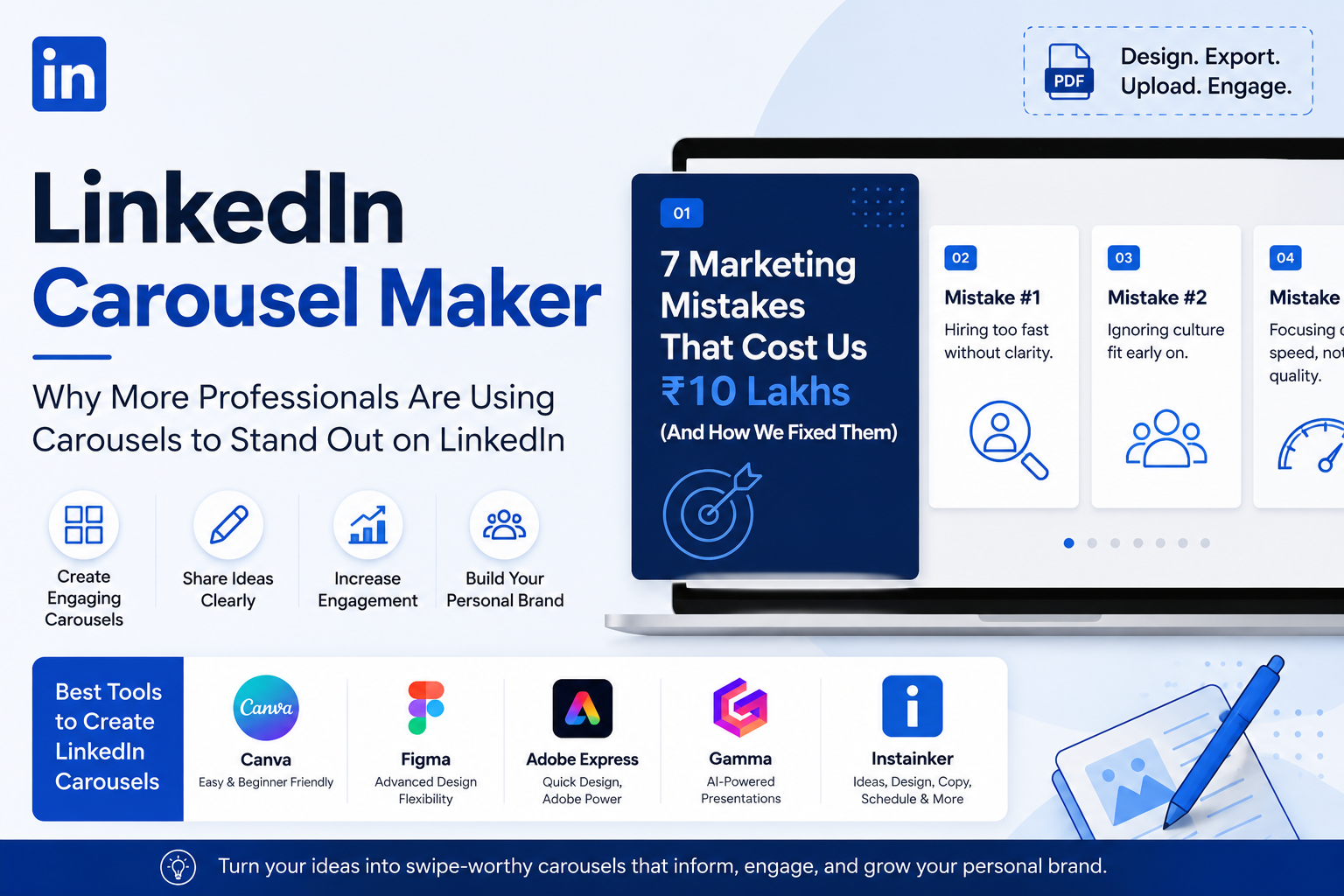
"7 Marketing Mistakes That Cost Us ₹10 Lakhs Before We Fixed Them."
Specific headlines almost always create more curiosity.
2.One idea per slide
A common mistake is trying to fit an entire article onto one page.
Keep each slide focused on one point.
If readers have to zoom in just to read the text, you've probably added too much.
3.Use visuals where they help
Charts, icons, timelines, screenshots, and simple illustrations often communicate ideas faster than paragraphs.
That doesn't mean every slide needs graphics.
Sometimes, clean typography is enough.
4.End with a takeaway
Don't stop after the last point.
Give readers something to remember.
That could be:
- A summary
- A question
- A practical tip
- A call to action
A good ending encourages conversation rather than simply ending the presentation.
Which LinkedIn Carousel Maker Should You Use?
There isn't one perfect tool.
It depends on how comfortable you are with design.
Canva
Canva is probably where most professionals start.
Its drag-and-drop interface makes it easy to create clean-looking carousel slides without needing any design experience.
Best for
- Beginners
- Business owners
- Consultants
- Students
Strengths
- Thousands of templates
- Easy to customise
- Free plan available
Weaknesses
- Popular templates can sometimes look repetitive.
Figma
Figma offers much more design flexibility.
If branding is important to your business, you'll probably appreciate the control it provides.
Strengths
- Superb cooperation
- Customizable designs
- Capabilities for professional design
Weaknesses
- More challenging to learn compared to Canva.
Adobe Express
Adobe Express lies somewhere between Canva and regular Adobe applications.
It is easy to use while providing great branding opportunities at the same time.
Strengths
- Good templates
- Adobe platform
- Editing is easy
Weaknesses
- Paid features need a subscription.
Gamma
Gamma has become more popular for AI-driven presentations lately.
Instead of designing slides by hand, it will create the layout according to your text.
Strengths
- Presentations designed with AI
- Time-saving
- Modern layouts
Weaknesses
- Needs manual editing.
Instainker
If you're working as a professional who makes LinkedIn posts, creating the carousel is just the first step.
You also need ideas, copy, formatting, and publishing.
That's where Instainker takes a different approach.
Instead of functioning purely as a design platform, it helps professionals generate LinkedIn content, create carousel copy, organise ideas, repurpose existing posts, optimise profiles, and maintain a consistent publishing schedule.
For someone building a personal brand on LinkedIn, having these capabilities in one place often removes the need to jump between multiple tools before publishing.
Common Carousel Mistakes
One mistake I see repeatedly is trying to impress people with design instead of helping them learn something.
Beautiful slides won't compensate for weak content.
Another mistake is inconsistent branding.
Changing fonts, colours, and layouts on every slide makes the carousel feel disconnected.
Finally, avoid turning every slide into a paragraph.
Remember, people are scrolling on mobile devices.
If reading feels like work, they'll simply stop swiping.
Do You Need a LinkedIn Carousel Maker?
Not always.
While some people design exceptional carousels by using PowerPoint and Google Slides, others opt for design-specific tools as they save time and provide templates.
What matters is not what tool one uses but whether the tool allows one to convey one’s thoughts in an effective manner.
If designing carousel content has been incorporated into your LinkedIn marketing strategy, then choosing the right tool will certainly simplify things for you.
Frequently Asked Questions
What is a LinkedIn carousel?
LinkedIn carousel is a multi-slide document that can be uploaded as a PDF where the reader can swipe through information page by page.
Which is the best LinkedIn carousel maker?
Some good LinkedIn carousel makers include Canva (easy to use), Figma (flexible in design), Gamma (AI to speed up presentation), and Instainker (helps with overall LinkedIn content creation process).
What size should a LinkedIn carousel be?
Creators usually prefer making square or portrait slides with uniform sizing throughout the whole document so that it works both on desktop and mobile platforms.
Are carousel posts better than text posts?
No, depending on your intent. Carousel posts will fit well if you want to explain any process or framework or discuss any educational content while text posts are better suited for storytelling.
Final Thoughts
Making an effective carousel on LinkedIn isn’t about increasing the number of slides or impressing users with each slide’s design.
This is all about simplifying complicated information.
Even though a professional LinkedIn carousel generator won’t be able to replace you and your skills, it will allow you to present them in a more appealing way.
When educating your audience and establishing yourself as an authoritative source is one of your priorities, LinkedIn carousels might become a perfect addition to your strategy.
Related Articles
Start Creating Better LinkedIn Content
Use InstaInker to generate engaging posts tailored to your style.
Get Started Free